
Keyboards, Mice & Input Devices
Keyboards, mice and other input devices let you control your laptop, desktop or tablet more comfortably and efficiently. Whether you are typing documents, working from home, gaming, designing or presenting, the right input device can make everyday tasks easier.
Our range includes keyboards, mice, keyboard and mouse sets, trackballs, touchpads, graphics tablets and presentation remotes. There are wired and wireless options, compact and full-size layouts, and ergonomic designs for people who spend long hours at a desk.
Best Selling Keyboards, Mice & Input Devices

Keyboards
A keyboard is one of the most important input devices for a laptop or desktop computer. It is used for typing documents, browsing the internet, entering passwords, using shortcuts and controlling software.
Keyboards are available in different sizes, connection types and key styles. Choosing the right one depends on how much desk space you have, how often you type and whether you need a number pad.
Full-Size Keyboards
Full-size keyboards include all the standard keys, including letters, numbers, function keys, arrow keys and a number pad. They are a practical choice for office work, spreadsheets, accounts and data entry.
A full-size keyboard is a good option if you regularly enter numbers or prefer a familiar layout. However, it takes up more desk space than smaller keyboard designs.
Tenkeyless Keyboards
Tenkeyless keyboards, also known as TKL keyboards, are similar to full-size keyboards but do not include a number pad. They keep the main typing area, function row and arrow keys while taking up less space.
A tenkeyless keyboard can be a good option if you want more room for your mouse but still need arrow keys and function keys. It is a popular choice for gaming and smaller desk setups.
View More Tenkeyless Keyboards
Compact Keyboards
Compact keyboards, including 60%, 65% and 75% layouts, remove some keys to create a smaller footprint. A 60% keyboard removes the number pad, function row and navigation keys, while 65% and 75% layouts retain more of these keys.
Compact keyboards are useful if you have limited desk space or want to keep your mouse closer to your typing position. They can take some time to get used to, especially if you regularly use a number pad.
Ergonomic Keyboards
Ergonomic keyboards are designed to support a more natural hand, wrist and arm position. They may have a curved layout, a split design or a raised middle section to reduce strain during long typing sessions.
A split keyboard separates the keys into two sections, allowing you to position each half at a comfortable angle. This can be useful for people who type for long periods or experience discomfort with a standard keyboard.
Mechanical Keyboards
Mechanical keyboards use an individual switch under each key. This can provide a more tactile and responsive typing feel, with options ranging from quiet and smooth to clicky and tactile.
Mechanical keyboards are popular with gamers, programmers and people who type frequently. They can be more expensive than membrane keyboards, but they often offer a more durable and customisable typing experience.
View More Mechanical Keyboards
Membrane Keyboards
Membrane keyboards use a rubber layer beneath the keys rather than individual mechanical switches. They are usually quieter, lighter and more affordable than mechanical keyboards.
A membrane keyboard can be a good option for everyday office work, home use and general browsing. They may not offer the same tactile feedback as mechanical keyboards, but they are suitable for most everyday tasks.
Wireless and Wired Keyboards
Wireless Keyboards
Wireless keyboards connect to a laptop, desktop or tablet without a cable, usually through Bluetooth or a USB receiver. They can help keep your desk tidy and allow you to position the keyboard where it is most comfortable.
Wireless keyboards are available in full-size, compact and ergonomic designs. Check the battery life, charging method and connection type before buying, especially if you plan to use the keyboard for long periods.
Wired Keyboards
Wired keyboards connect through a USB cable and do not need charging or batteries. They provide a stable connection and are often a simple, affordable option for home and office use.
A wired keyboard can be a good choice if you prefer not to worry about battery life or wireless pairing. It can also be suitable for gaming, where a consistent connection can be important.
Mice
A mouse is a pointing device used to move the cursor on screen, select items, scroll through pages and navigate software. Mice are available in different sizes, shapes and connection types to suit different hands and tasks.
When choosing a mouse, consider its size, weight, button layout and sensor type. A mouse that feels comfortable in your hand can make a big difference during long periods of use.
Standard Mice
Standard mice are designed for everyday use, including browsing, office work, emails and general computer tasks. They usually include left and right buttons, a scroll wheel and sometimes extra side buttons.
A standard mouse is a practical option if you want a simple, reliable device for everyday use. They are available in both wired and wireless versions.
Wireless Mice
Wireless mice connect through Bluetooth or a USB receiver, removing the need for a cable. They offer more freedom of movement and can help reduce desk clutter.
Wireless mice are available in a range of sizes and styles, from compact travel mice to larger ergonomic models. Check the battery life and whether the mouse uses replaceable batteries or rechargeable power.
Wired Mice
Wired mice connect through a USB cable and do not need charging. They provide a stable connection and are often a good option for gaming, office work and general use.
A wired mouse can be a practical choice if you prefer not to worry about batteries or wireless connections. They are usually plug-and-play, so they can be ready to use as soon as they are connected.
Ergonomic Mice
Ergonomic mice are shaped to support a more natural hand and wrist position. They may have a curved design, extra thumb support or a vertical shape that reduces forearm rotation.
An ergonomic mouse can be useful if you spend long hours using a computer or experience discomfort with a standard mouse. A vertical mouse holds the hand in more of a handshake position, which some people find more comfortable.
Gaming Mice
Gaming mice are designed for precision, speed and comfort during long gaming sessions. They may include adjustable sensitivity settings, extra programmable buttons and lightweight designs.
Gaming mice are available in wired and wireless options. A wired mouse can offer a stable connection, while a wireless gaming mouse can provide more freedom of movement.
Keyboard and Mouse Sets
Keyboard and mouse sets include both devices in one package, often designed to match in style and colour. They can be a convenient way to upgrade a laptop or desktop setup at the same time.
Keyboard and mouse sets are available in wired and wireless options, with different sizes and layouts. A wireless set can help reduce cables, while a wired set can be a simple and affordable option.
A keyboard and mouse set is a good option if you are setting up a new laptop, replacing both devices or creating a more comfortable home office setup.
Other Input Devices
Trackballs
A trackball is a stationary pointing device with a ball that you move with your fingers or thumb. Instead of moving the mouse across the desk, you roll the ball to control the cursor.
Trackballs can be useful if you have limited desk space or prefer not to move your arm as much. They can also be a practical option for people who find a standard mouse uncomfortable.
Touchpads
A touchpad, also known as a trackpad, is a flat surface that responds to finger movement. It is commonly built into laptops, but external touchpads are also available for desktop setups.
An external touchpad can be useful if you prefer gesture controls or want an alternative to a traditional mouse. They are compact and can be a good option for smaller desks.
Graphics Tablets
A graphics tablet, also known as a drawing tablet, is a flat surface used with a stylus or pen. It allows you to draw, write, edit photos and create digital artwork with more precision than a mouse.
Graphics tablets are popular with designers, illustrators, students and people who edit photos or videos. Some models include a screen, while others require you to look at your laptop or monitor while drawing on the tablet.
Presentation Remotes
A presentation remote, also known as a presenter or clicker, lets you control slides from a distance. It is useful for presentations, lectures, meetings and online calls.
Presentation remotes usually include buttons to move between slides, as well as a laser pointer or other presentation tools. They can be a practical accessory for people who give regular presentations.
Choosing the Right Input Device
Check Your Connection
Check whether you prefer a wired or wireless device. Wireless keyboards and mice can reduce clutter, while wired options do not need charging and provide a stable connection.
Check Compatibility
Check that the keyboard, mouse or input device is compatible with your laptop, desktop or tablet. Some devices connect through Bluetooth, while others use a USB receiver or cable.
Consider Comfort
If you spend long hours typing or using a mouse, consider an ergonomic design. Split keyboards, curved keyboards and vertical mice can help support a more natural hand and wrist position.
Consider Desk Space
If you have a small desk, a compact keyboard or trackball can help save space. A tenkeyless keyboard can also leave more room for your mouse while keeping the main keys you need.
Consider Your Tasks
Think about how you will use the device. A full-size keyboard is useful for number entry, a mechanical keyboard can be better for frequent typing, and a graphics tablet is better for drawing and design work.
Keyboards, Mice & Input Devices FAQs
Showing all 9 results
-

Logitech B100 Wired USB Mouse
£7.89 Buy product -
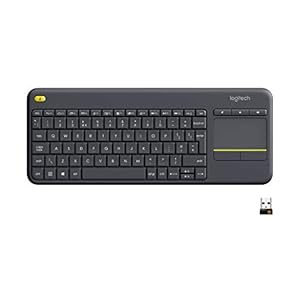
Logitech K400 Plus Wireless Touch TV Keyboard With Easy Media Control and Built-in Touchpad, HTPC Ke
£34.94 Buy product -
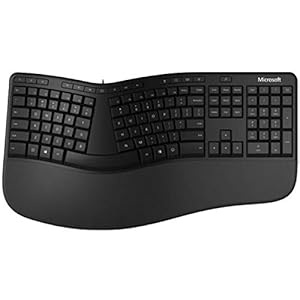
Microsoft Keyboard
Buy product -
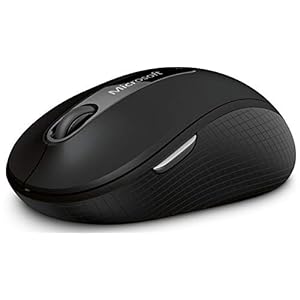
Microsoft Wireless Mobile Mouse 4000 – Black
£89.99 Buy product -
Razer Viper Mini – Wired Gaming Mouse weighing only 61g for PC / Mac (Ultralight, Ambidextrous
£49.86 Buy product -
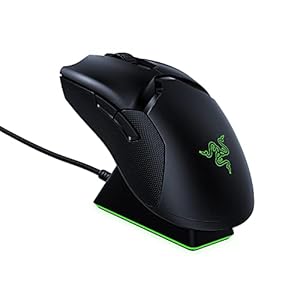
Razer Viper Ultimate with Charging Dock – Ambidextrous Esports Gaming Mouse Powered by HyperSp
£103.61 Buy product -

TeckNet 2.4G Classic Wireless Mouse – 3200 DPI -6 Adjustment Levels – Nano USB wireless
£8.99 Buy product -
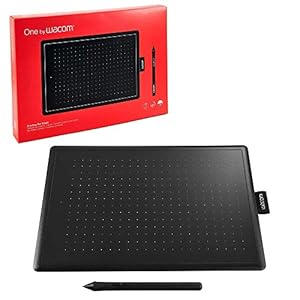
Wacom One by Wacom
Buy product -

Wireless Mouse for Laptop Silent Cordless 2.4G USB Mini Mouse Wireless Optical Ambidextrous Computer
£9.49 Buy product