
VR & Gaming
VR and gaming products bring together virtual reality headsets, controllers, gaming accessories and immersive entertainment. Whether you play on a laptop, gaming PC, console or standalone headset, the right equipment can make games feel more responsive, comfortable and immersive.
Gaming setups can range from a simple controller and headset to a full VR system with motion tracking, room-scale play and PC-connected graphics. Choosing the right products depends on the games you play, the devices you own and how much space you have available.
Best Selling VR & Gaming

Virtual Reality Headsets
Standalone VR Headsets
A standalone VR headset runs games and apps directly from the headset, without needing a PC or console. It is usually the simplest option for beginners because it can be set up quickly and used in a relatively small space.
Standalone headsets use built-in processors, displays, cameras and controllers. They can be used for games, fitness, media viewing, productivity and social experiences.
A standalone headset is a good choice if you want wireless freedom and do not want to rely on a powerful gaming laptop or PC. It can also be connected to a compatible PC for certain PC VR games, depending on the headset and its software support.
View More Standalone VR Headsets
PC VR Headsets
A PC VR headset connects to a gaming PC or compatible laptop and uses the computer’s graphics power to run VR games. It can offer more detailed visuals and access to a wider range of PC-based VR titles.
PC VR can be a good option if you already have a gaming laptop or desktop with a capable graphics card. The laptop or PC needs enough processing power, memory and graphics performance to run VR smoothly.
Check the minimum system requirements before buying. A PC VR setup may also need a USB connection, DisplayPort connection or a strong Wi-Fi connection, depending on the headset.
VR Headset Features
Resolution and Display Quality
Resolution affects how sharp VR images look. A higher resolution can reduce the screen-door effect, where fine lines between pixels become visible in the headset.
Higher resolution can make text, distant objects and detailed game environments easier to see. It can also make VR feel more immersive, especially in slower-paced games and media viewing.
Check the resolution per eye, display type and supported refresh rate before buying. These details can affect clarity, smoothness and comfort.
Refresh Rate
Refresh rate is how many times per second the headset updates the image. A higher refresh rate can make movement feel smoother and may help reduce motion discomfort.
Many VR headsets support 90Hz or 120Hz, although the available rate can depend on the game and settings. Fast-paced games, racing titles and action games can benefit from smoother motion.
A higher refresh rate is useful, but comfort also depends on the game, frame rate and how your body responds to VR.
Field of View
Field of view is how much of the virtual world you can see at once. A wider field of view can make VR feel more natural and immersive.
A wider field of view can be useful for racing, action and exploration games. It can also make it easier to see objects around you without turning your head as often.
Field of view is not the only factor in comfort. Weight, balance, lens quality and fit also affect how comfortable a headset feels during longer sessions.
Controllers and Tracking
VR controllers let you interact with games using motion, buttons and triggers. Many modern headsets use inside-out tracking, where cameras on the headset track the controllers without external sensors.
Motion controllers can make VR games feel more interactive. They can be used for aiming, grabbing objects, drawing, exercising and exploring virtual environments.
Check whether controllers are included, whether they use rechargeable batteries and whether spare accessories are available.
VR Comfort & Safety
Headset Fit
A comfortable headset fit is important for longer VR sessions. Look for adjustable straps, balanced weight and replaceable facial padding.
A headset that sits too tightly can cause discomfort around the face and head. A headset that is too loose can move during active games and affect tracking.
Try to keep the headset balanced rather than relying only on a tight strap. A well-fitted headset can feel lighter and more comfortable over time.
Play Space
VR needs enough clear space to move safely. Before playing, remove obstacles, loose cables and fragile items from the area around you.
Many VR systems let you set a boundary or guardian area to warn you when you get close to the edge of your play space. This can help prevent bumps, trips and accidental damage.
A seated VR experience needs less space, but room-scale games need more room to move around safely.
Motion Comfort
Some people experience motion discomfort when using VR, especially in fast-moving games. Starting with shorter sessions and gentler experiences can help.
Games with smooth movement, fast turning or artificial locomotion can feel more intense than seated or room-scale experiences. Taking breaks and adjusting comfort settings can help.
If you feel unwell, stop using the headset and rest. Avoid using VR if you are tired, unwell or under the influence of alcohol.
Gaming Accessories
Gaming Headsets
A gaming headset combines headphones with a microphone for clear communication and immersive sound. It can be used with a laptop, gaming PC, console or mobile device, depending on the connection type.
A gaming headset can help with team chat, directional audio and immersion in games. Look for a comfortable fit, clear microphone and compatibility with your chosen device.
Wired headsets can offer a simple and reliable connection, while wireless headsets can reduce cable clutter. Check the connection type, battery life and platform compatibility before buying.
Gaming Mice
A gaming mouse is designed for precise control, fast response and comfortable use during long sessions. It can be used with a laptop or desktop PC.
Gaming mice often include adjustable sensitivity, programmable buttons and lightweight designs. Higher DPI settings can make the cursor move further with smaller hand movements.
For laptop gaming, consider a compact or wireless mouse if you travel often. A wired mouse can be a good choice if you prefer a stable connection and do not want to charge it.
Gaming Keyboards
A gaming keyboard can offer faster response, customisable keys and a more durable feel than a standard keyboard. It can be used with a laptop or desktop PC.
Mechanical keyboards use individual switches under each key and can provide a more tactile typing and gaming feel. Membrane keyboards are usually quieter and flatter.
Look for anti-ghosting, programmable keys and comfortable wrist support if you play games that use lots of keyboard commands.
Gaming Controllers
A gaming controller can be useful for racing, sports, platform and action games. It can also be a comfortable option for couch gaming or games that work better with analogue sticks.
Controllers can connect through USB, Bluetooth or a wireless adapter, depending on the model. Check compatibility with your laptop, PC or console before buying.
Some controllers include extra buttons, triggers, vibration and adjustable grips. These features can be useful for competitive play or games with complex controls.
Gaming Monitors
A gaming monitor can provide a larger, smoother and more responsive display than a laptop screen. It can be useful for competitive gaming, immersive single-player games and multi-monitor setups.
Gaming monitors often offer higher refresh rates and faster response times. A higher refresh rate can make movement look smoother, while a low response time can reduce motion blur.
Check the laptop’s video output, such as HDMI, DisplayPort or USB-C, before choosing a monitor. You may also need an adapter, dock or compatible cable.
Gaming Laptops & Performance
Graphics Performance
A gaming laptop needs enough graphics performance to run modern games smoothly. The graphics card, processor, memory and cooling system all affect performance.
More demanding games and higher resolutions need more powerful hardware. A laptop with a dedicated graphics card is usually better suited to gaming than one with integrated graphics only.
Check the game’s recommended system requirements before buying. This can help you avoid disappointment if the laptop cannot run the game at the settings you want.
Cooling and Noise
Gaming laptops can generate heat during long gaming sessions. Good cooling can help maintain performance and reduce the risk of overheating.
A laptop stand or cooling pad can improve airflow underneath the laptop. Keeping vents clear and avoiding soft surfaces can also help.
Fan noise can increase during demanding games. If noise is important, look for quieter cooling designs or use headphones during long sessions.
Storage and Upgrades
Games can take up a lot of storage space. A larger SSD can make it easier to install several games without constantly deleting files.
An SSD can also help games load faster than a traditional hard drive. Check whether the laptop has a spare M.2 slot or supports an external SSD if you need more storage later.
External SSDs can be useful for storing games, recordings and large files. Check the connection type and transfer speed before buying.
VR & Gaming FAQs
Showing 1–12 of 16 results
-
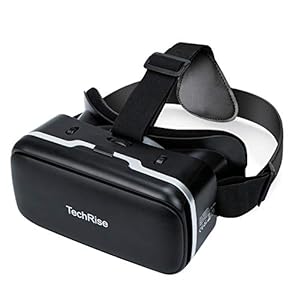
3D VR Headset, TechRise 3D VR Glasses Virtual Reality Box with Adjustable Lens and Comfortable Strap
£27.99 Buy product -
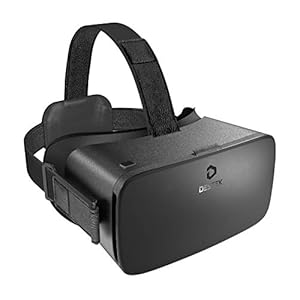
DESTEK V5 VR Headset, 110°FOV Eye Protected HD Virtual Reality Headset w/ Touch Button for iPhone 1
Buy product -
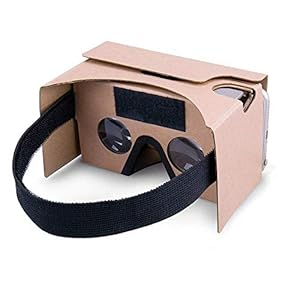
Google Cardboard, 3D VR Headsets DIY Virtual Reality box Glasses with Clear Optical Lens and Comfort
£9.99 Buy product -
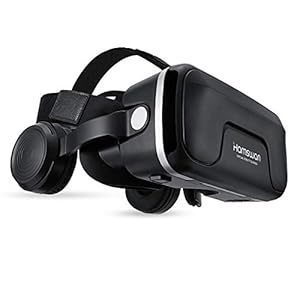
HAMSWAN VR Headset, Virtual Reality Headset, 3D Glasses, VR Goggles-for 3D VR Movies Video Games wit
Buy product -
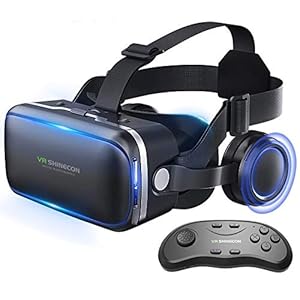
Honggu VR Shinecon VR Headset 3d Glasses Virtual Reality Headset for VR Games & 3D Movies Pack w
Buy product -
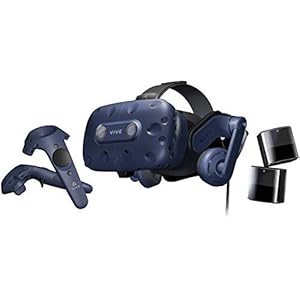
HTC VIVE Pro Full Kit Virtual Reality System
£799.00 Buy product -
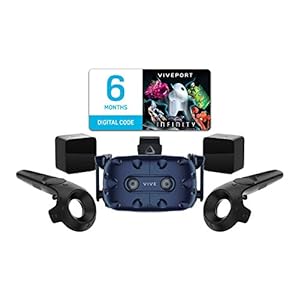
HTC VIVE Pro Starter Kit Virtual Reality System
£1,119.99 Buy product -
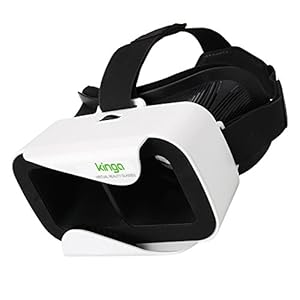
KINGA VR Headset VR Glasses for Smartphone of 4.7-6.0 Inches Android Win IOS iPhone Samsung Huawei
Buy product -
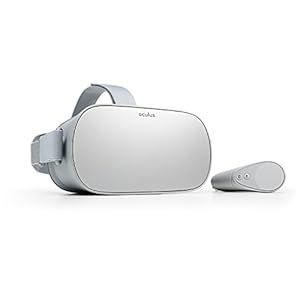
Oculus Go Standalone Virtual Reality Headset
£189.90 Buy product -
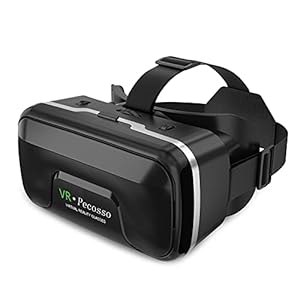
Pecosso VR Headset Virtual Reality Glasses Compatible with iPhone & Android Phone 4.7″-6.5
Buy product -

REDSTORM VR Headset
Buy product -
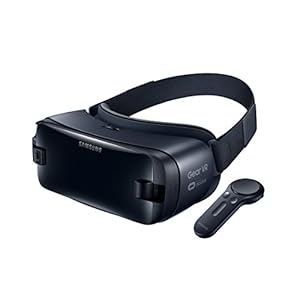
Samsung Galaxy Gear VR 2017 with Motion Controller – UK Version – Compatible with S9/S9+
£39.00 Buy product