
Adapters
An adapter is a small but essential laptop accessory that allows you to connect devices, displays, storage and peripherals that use different ports or connection types. Whether you need to connect a laptop to a monitor, transfer files from a memory card or use an older device with a newer laptop, the right adapter can make your setup more flexible.
Our range of adapters includes USB-C adapters, HDMI adapters, DisplayPort adapters, VGA adapters, Ethernet adapters and audio adapters. They are useful for home working, study, presentations, travel and connecting older equipment to newer devices.
Browse our selection of adapters below to find the right option for your laptop and devices.
Best Selling Adapters

Which adapter do you need?
The adapter you need depends on the ports available on your laptop and the device you want to connect. Many modern laptops use USB-C, while older laptops may include USB-A, HDMI, VGA or Ethernet ports.
Before buying, check the ports on your laptop and the connection type required by your monitor, TV, projector, camera or other device. Choosing the correct adapter will help ensure a reliable connection and the best possible picture or data transfer quality.
| If you want to connect… | An adapter to consider | What to check |
|---|---|---|
| A laptop to a monitor or TV | HDMI, DisplayPort or USB-C adapter | Supported resolution, refresh rate and cable type |
| An older monitor or projector | VGA or HDMI adapter | Connection type and supported resolution |
| A wired internet connection | Ethernet adapter | USB-C or USB-A compatibility and network speed |
| A camera memory card | SD or microSD card reader | Card type, transfer speed and laptop port |
| Headphones or speakers | Audio adapter | 3.5mm jack, USB-C audio or Bluetooth compatibility |
| A newer laptop to older accessories | USB-C to USB-A adapter | Data transfer speed and charging support |
| Multiple devices at once | USB-C hub or docking station | Number and type of ports required |
USB-C adapters
USB-C adapters are among the most useful laptop accessories because many modern laptops use a USB-C port for charging, data transfer and video output. A USB-C adapter can allow you to connect older USB-A devices, external displays, memory cards, Ethernet cables and other accessories.
If your laptop has a USB-C port, a USB-C to USB-A adapter can be useful for connecting a mouse, keyboard, flash drive or older charger. A USB-C to HDMI adapter can connect your laptop to a monitor, TV or projector.
Check whether the adapter supports video output, data transfer, charging or all three. Some USB-C adapters are designed for one specific purpose, while others offer multiple functions.
HDMI adapters
An HDMI adapter allows you to connect a laptop to a monitor, TV or projector using an HDMI cable. This is useful for presentations, streaming, gaming, working from home or extending your display for multitasking.
If your laptop has a USB-C port, a USB-C to HDMI adapter can be a simple way to connect an external display. If your laptop already has an HDMI port but your monitor uses a different connection, you may need an HDMI to DisplayPort or HDMI to VGA adapter.
Check the supported resolution before buying. If you want to use a 4K monitor or TV, make sure the adapter supports 4K output at the refresh rate you need.
DisplayPort adapters
DisplayPort adapters are useful for connecting laptops to monitors, particularly in office and gaming setups. DisplayPort is commonly used on desktop monitors and can support high resolutions and high refresh rates.
If your laptop has a USB-C port, a USB-C to DisplayPort adapter can allow you to connect a compatible monitor. If your monitor uses HDMI but your laptop has DisplayPort, a DisplayPort to HDMI adapter may be required.
Check the maximum supported resolution and refresh rate. This is especially important if you use a high-resolution monitor or want smooth motion for gaming or video editing.
View More Displayport Adapters
VGA adapters
VGA adapters are useful for connecting newer laptops to older monitors, projectors or presentation equipment. VGA is an older connection type that carries analogue video signals, so it is less common on modern devices.
If your laptop has HDMI or USB-C but your projector or monitor only has VGA, a VGA adapter can provide a practical solution. You may also need a separate audio cable, as VGA does not carry sound.
VGA adapters are particularly useful in schools, offices and older presentation setups. However, for the best picture quality, HDMI or DisplayPort is usually preferable where available.
Ethernet adapters
An Ethernet adapter allows you to connect a laptop to a wired network using an Ethernet cable. This can provide a more stable and reliable internet connection than Wi‑Fi, which can be useful for video calls, online gaming, large downloads and home working.
Many modern laptops do not include an Ethernet port, so a USB-C or USB-A to Ethernet adapter can be a practical solution. Check whether the adapter supports Gigabit Ethernet for faster wired network speeds.
An Ethernet adapter can be particularly useful if your Wi‑Fi signal is weak or unreliable. It can also be useful for connecting a laptop directly to a router, network switch or office network.
SD and microSD card readers
An SD or microSD card reader allows you to transfer photos, videos and files from a camera, drone, action camera or other device to your laptop. This can be useful for photographers, content creators, students and anyone who uses a memory card.
Some laptops include a built-in SD card slot, but many newer models do not. A USB-C or USB-A card reader can provide a simple way to access your files.
Check whether you need an SD, microSD or dual-slot reader. If you use both types of card, a multi-card reader can be a convenient option.
View More SD & Micro SD Card Reader
Audio adapters
Audio adapters allow you to connect headphones, speakers, microphones or other audio equipment to your laptop. They can be useful if your laptop has a combined headphone and microphone jack, or if you need to connect older audio equipment.
A USB-C to 3.5mm adapter can be useful if your laptop does not have a headphone jack. A splitter adapter can allow you to use separate headphones and microphone connections, which can be helpful for calls, gaming or recording.
Check whether the adapter supports microphone input as well as headphone output. Some adapters are designed for audio output only.
Choosing the right adapter
Check your laptop ports
Start by checking the ports on your laptop. Modern laptops often use USB-C, while older models may include USB-A, HDMI, VGA or Ethernet. Knowing your available ports will help you choose the right adapter.
Check the device connection
Check the connection type on the device you want to connect. A monitor, TV, projector, camera or network device may use HDMI, DisplayPort, VGA, Ethernet, USB-A or another connection type.
Check video quality
If you are connecting a display, check the maximum supported resolution and refresh rate. This is especially important if you use a 4K monitor or need smooth motion for gaming or video editing.
Check charging support
Some USB-C adapters support power delivery, allowing you to charge your laptop while using the adapter. If you want to connect a monitor and charge your laptop at the same time, look for an adapter with pass-through charging.
Check build quality
A well-made adapter should feel sturdy and provide a secure connection. Look for reinforced connectors, a compact design and a cable length that suits your setup.
Find the right adapter
Adapters make it easy to connect your laptop to the devices and accessories you need. Whether you want to connect an external display, use a wired internet connection, transfer files from a memory card or connect older equipment, there is an adapter to suit your setup.
Explore the adapters listed above to compare the available options. Each product listing includes key details to help you consider compatibility, supported connections, video quality and charging support. Whether you need a simple USB-C adapter or a multi-port solution for a home office, the right adapter can help you get more from your laptop.
Adapters FAQs
Showing 1–12 of 19 results
-

45W ETL Listed Laptop Charger for HP 14s 15s pavilion 11 13 14 15 17;HP Stream 11 13 14;HP Spectre X
£13.99 Buy product -

45W Laptop Charger for HP,Cshare 19.5V 2.31A Power Supply for HP Stream,HP Pavilion,HP Envy,HP ProBo
£13.99 Buy product -

45W Laptop Charger for Lenovo IdeaPad 100 110S 120S 300 310 310S 320 320S 330S 510 510S 520 710 100-
£14.66 Buy product -

45W Laptop Charger for Lenovo IdeaPad 310 330S 320 330 110 110s 120s 130s 510 510s 520 710S 320-14IK
£15.22 Buy product -
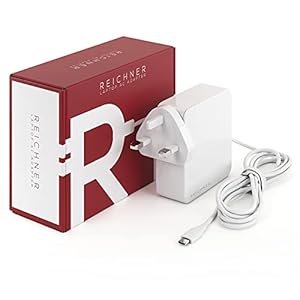
65W Reichner Charger USB C compatible with 13″ Apple MacBook Pro Air 2019 2020 – Replace
£19.89 Buy product -

65W USB C Thinkpad Laptop Charger AC Adapter for Lenovo ThinkPad T14 T15 T480 T480s T490 T490s T580
£15.88 Buy product -

65W USB-C Power Adapter Compatible with Mac book Pro 13-inch 2016-2020/Air, USB C PD Laptop Charger
£23.66 Buy product -

65W USB-C Power Supply Charger for Lenovo ThinkPad x1 Carbon T14 T15 T480 T480s T490 T490s T580 T590
£15.88 Buy product -
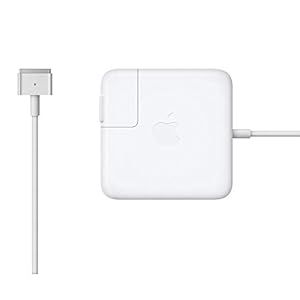
Apple 60W MagSafe 2 Power Adapter (MacBook Pro with 13-inch Retina display)
£74.99 Buy product -

Apple 61W USB-C Power Adapter
Buy product -
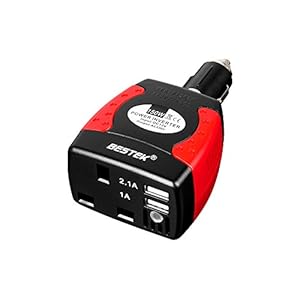
BESTEK MRI1513U-UK PLUG 150 W Power Inverter Car Laptop Charger DC 12V to AC 230V 240V Converter Ada
£23.99 Buy product -

Dell 65W Laptop Charger, LEMARCH 19.5V 3.34A Laptop Power Adapter with Power Cord Supply Replacement
Buy product