
Hard Drives
Hard drives provide extra storage for your laptop, helping you back up important files, store photos and videos, transfer data between devices or free up space on your laptop. They are available in different types, including portable hard drives, desktop hard drives and external solid state drives.
Hard drives are available in different storage capacities, from smaller drives for documents and everyday files to larger drives for photo libraries, video collections, games and backups. Choosing the right type depends on how you plan to use it, whether you need portability and how much storage you require.
Best Selling Hard Drives

Types of Hard Drives
Portable Hard Drives
Portable hard drives are compact external drives that connect to your laptop through USB. They are a practical choice for backups, storing documents and carrying files between home, work or university.
Portable hard drives are available in a range of capacities, commonly from 1TB to 5TB or more. They are generally a cost-effective way to add a large amount of storage, although they can be slower than solid state drives.
A portable hard drive is a good option if you need lots of storage at an affordable price and do not need the fastest possible transfer speeds.
View More Portable Hard Drives
Desktop Hard Drives
Desktop hard drives are larger external drives designed to stay connected to a laptop or desktop computer. They often offer more storage than portable drives and can be a good option for long-term backups and large media collections.
Desktop hard drives usually require their own mains power supply, so they are less portable than smaller USB-powered drives. However, they can offer very large capacities, making them suitable for extensive photo libraries, video archives and system backups.
A desktop hard drive is a good option if you need lots of storage and do not need to carry the drive with you.
External Solid State Drives
External solid state drives, or external SSDs, use flash memory rather than moving parts. They are generally faster, smaller and more durable than traditional hard drives, making them a good option for transferring large files and storing frequently used data.
External SSDs are available in a range of capacities, commonly from 500GB to 4TB or more. They can be more expensive per terabyte than traditional hard drives, but they offer faster transfer speeds and a more compact design.
An external SSD is a good option if you need fast access to files, work with large photos or videos, or want a portable drive that can withstand more everyday movement.
View More External Solid State Drives
Choosing the Right Hard Drive
Storage Capacity
Check how much storage you need before buying. A 1TB drive can be suitable for documents, photos and everyday backups, while a 2TB or 4TB drive can be better for large photo libraries, video collections, games and long-term backups.
If you plan to store lots of videos, games or high-resolution photos, consider a larger capacity drive. It can be better to choose more storage than you currently need, especially if your file collection is likely to grow.
Portability
If you need to carry files between different locations, a portable hard drive or external SSD is usually the best option. These drives are compact, USB-powered and easy to connect to a laptop.
If the drive will stay at home or in an office, a desktop hard drive can offer more storage and may be a better option for long-term backups.
Transfer Speed
Transfer speed affects how quickly you can copy files to and from the drive. External SSDs are generally faster than traditional hard drives, especially when working with large files such as videos, games and photo libraries.
If you only need occasional backups or document storage, a traditional hard drive may be sufficient. If you regularly transfer large files, an external SSD can save time.
Connection Type
Check the connection type on your laptop before buying. Many modern laptops use USB-C, while older laptops may use USB-A. Some drives include both connection types or come with an adapter.
A USB-C drive can be a good option for newer laptops, while a USB-A drive may be more suitable for older devices. Check whether the drive includes a cable and whether it is compatible with your laptop.
Backing Up Your Files
Regular Backups
A hard drive can help you create regular backups of important documents, photos, videos and other files. Regular backups can help protect your files if your laptop is lost, damaged or develops a fault.
Consider setting a routine for backing up your files, whether weekly, monthly or after completing important work. This can help ensure your most important files are always protected.
File Organisation
Organising your files before backing them up can make it easier to find what you need later. Consider grouping files into folders for documents, photos, videos, work and personal files.
This can also make it easier to manage your storage and identify which files you need to back up.
Keeping Multiple Copies
For particularly important files, consider keeping more than one copy. You could store one copy on your laptop, one on an external hard drive and another using cloud storage.
This can provide extra protection for files that would be difficult to replace.
Hard Drives FAQs
Showing all 8 results
-

Seagate Expansion 1TB Portable External Hard Drive 2.5″ USB 3.0 Includes 2 Year Data Recovery
£72.26 Buy product -
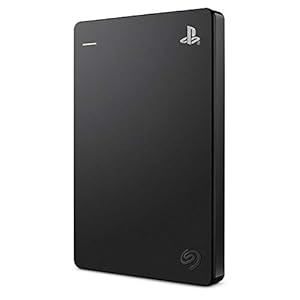
Seagate Game Drive for PS5, 2TB, Portable External Hard Drive, Compatible with PS4 and PS5 (STGD2000
£95.35 Buy product -

Seagate Game Drive for Xbox, 2 TB, External Hard Drive Portable HDD, Designed for Xbox One, and Two-
£124.98 Buy product -
Seagate Portable Drive, 4TB, External Hard Drive, Dark Grey, for PC Laptop and Mac, 2 year Rescue Se
£89.99 Buy product -
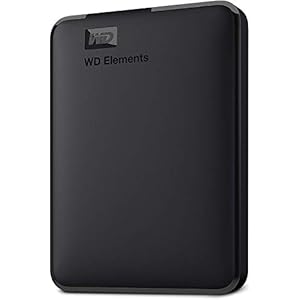
WD 1TB Elements portable external hard drive, USB 3.0 interface, portable external storage, Plug-and
£54.99 Buy product -

WD 2TB Elements portable external hard drive, USB 3.0 interface, portable external storage, Plug-and
£66.14 Buy product -

WD 4TB My Passport Portable HDD USB 3.0 with software for device management, backup and password pro
£104.99 Buy product -

WD 5TB My Passport Ultra Portable HDD USB-C with software for device management, backup and password
£134.50 Buy product